
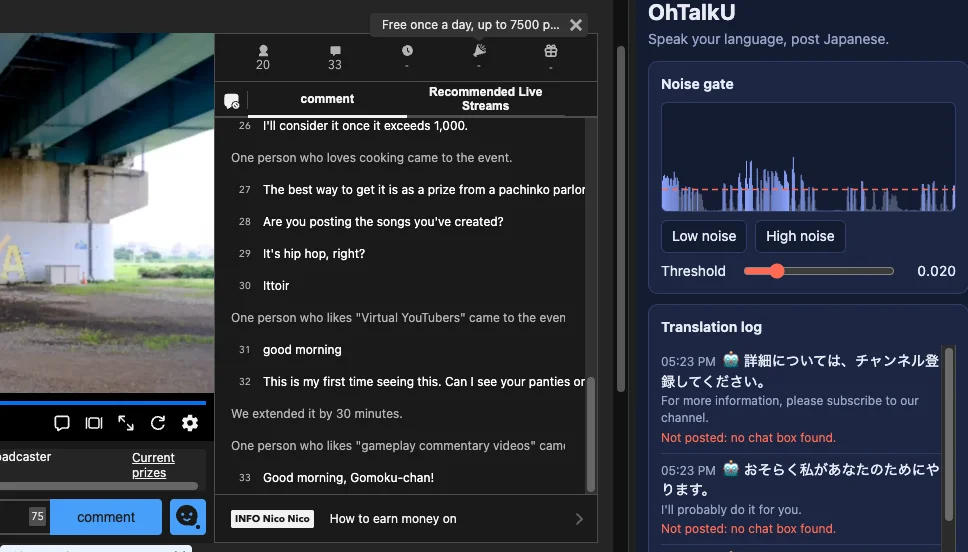

Otaku (nerd) is a Chromium plugin that does voice to text. Currently translates to Japanese.
Because I watch a lot of ニコニコ生放送 and my Japanese is bad. Very bad.
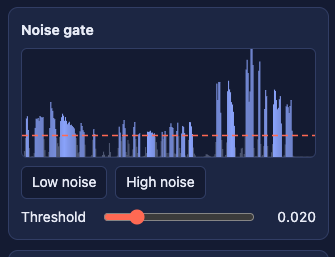
Noise Gate:
Shows the real time voice print that is being sampled.
Low Noise / High Noise:
These clip the volume of the recorded sound to help stop transmitting room noise.
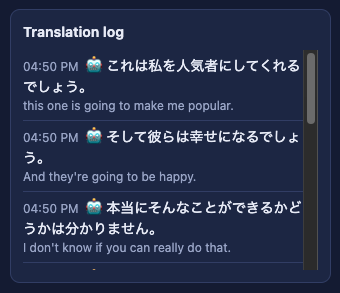
Translation Log:
See what is being translated, so you can double check what you are going to send before you do.
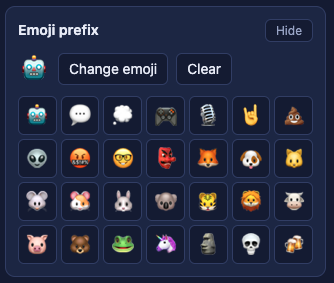
Emoji Prefix:
This adds an Emoji before the text. Or you can clear it out. There is a preset menu of emojis as of v0.2.
This is because I am a little weary of AI translations, and want people to know if it is the bot or me.
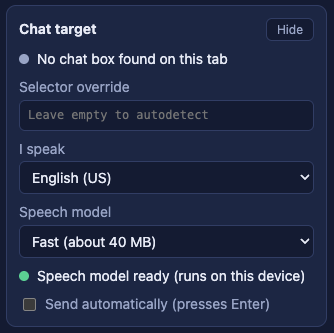
Chat Target:
Automagically finds the text field to send chats. You might need to click on it, but it can find it. So weird.
I speak:
v.0.2 supports a bunch of languages (in theory):
- English (US/UK)
- Spanish
- Portuguese
- French
- German
- Korean
- Chinese (Mando)
There is a “Send automatically” button that is I couldn’t get to work (v.0.2), but I’m not convinced it is even a good idea. But if your hands are busy mixing a cake maybe this is a good one for me to get around to.
The GitHub library for v.0.2 is available for anyone who wants to play with it. Read the rules, have fun. Make your own.


Leave a Reply